Every pending invoice, stamped with its IRS category.
A Chrome extension for e-Fatura’s pending-invoices page. It works out the category for each invoice and stamps it when it’s sure. The rest get a pencil mark for you. Submeter stays your click.
In the demo, all 50 pending invoices are stamped about two seconds after pressing Sort.
- Nº 01Metropolitano Lisboa EP40,00 €NIF 500192855
- Nº 02Ibersol Restauração SA22,15 €NIF 501991360
- Nº 03Pingo Doce Distribuição Alimentar12,57 €NIF 500829993
- Nº 04Daufood Portugal Unipessoal15,90 €NIF 513146091 Restauração? 68%
- Nº 05Modelo Continente Hipermercados41,85 €NIF 502011475
- Nº 06Metropolitano Lisboa EP40,00 €NIF 500192855
Example invoices and total. Merchants from the demo; deductions use the extension’s 2025 rules.
Sixteen stamps. No bulk edit.
The portal gives every pending invoice its own row of sixteen category buttons. You press one per invoice, confirm a pop-up when a merchant repeats, and turn the page.
pending invoices in the demo. The portal hands them over 50 at a time, newest first.
Filled in like a form, one quadro at a time
For each invoice, the extension fills four boxes. Only the third needs a judgement, and that one is Jev’s.
-
Emitente · IVAMetropolitano Lisboa EP6% · €2.26 of €40.00
It opens the invoice with your own session and reads the VAT lines. e-Fatura keeps no item names, only amounts and rates.
-
Atividade (CAE)49310Urban passenger transport
nif.pt says what the merchant does.
-
CategoriaPasse público · Jev 100%
Jev picks one of the 16 categories. Above 0.8 confidence it’s stamped. Below, it’s marked amber with the best guess and the runner-up.
-
Dedução+ €2.26
Each stamped invoice adds to a running euro total, using the 2025 IRS rates and caps.
“A meal or snack eaten on site at a café or restaurant: food at 13% VAT, often with a drink at 23%.”
Jev writes no text of its own. Each category is offered to it as a full sentence like this one, and the sentence it picks is the reason printed under the invoice.
Submeter is the one stamp it doesn’t use.
It stamps what it’s sure of. Saving your categories stays a click you make.
- Never answers “Todas”.When one merchant has several invoices, the portal asks whether to give them all the same sector. The extension answers “Apenas esta”, because each invoice is decided on its own.
- Clicks only a button whose label matches.If the portal relabels a button, the extension leaves it alone.
- Your pick wins.Invoices you’ve already set are skipped.
- Sends only what it needs.The merchant’s NIF, the VAT-rate shares and the category counts go to Jev. No amounts, no NIF of yours, no invoice IDs. Read the privacy policy.
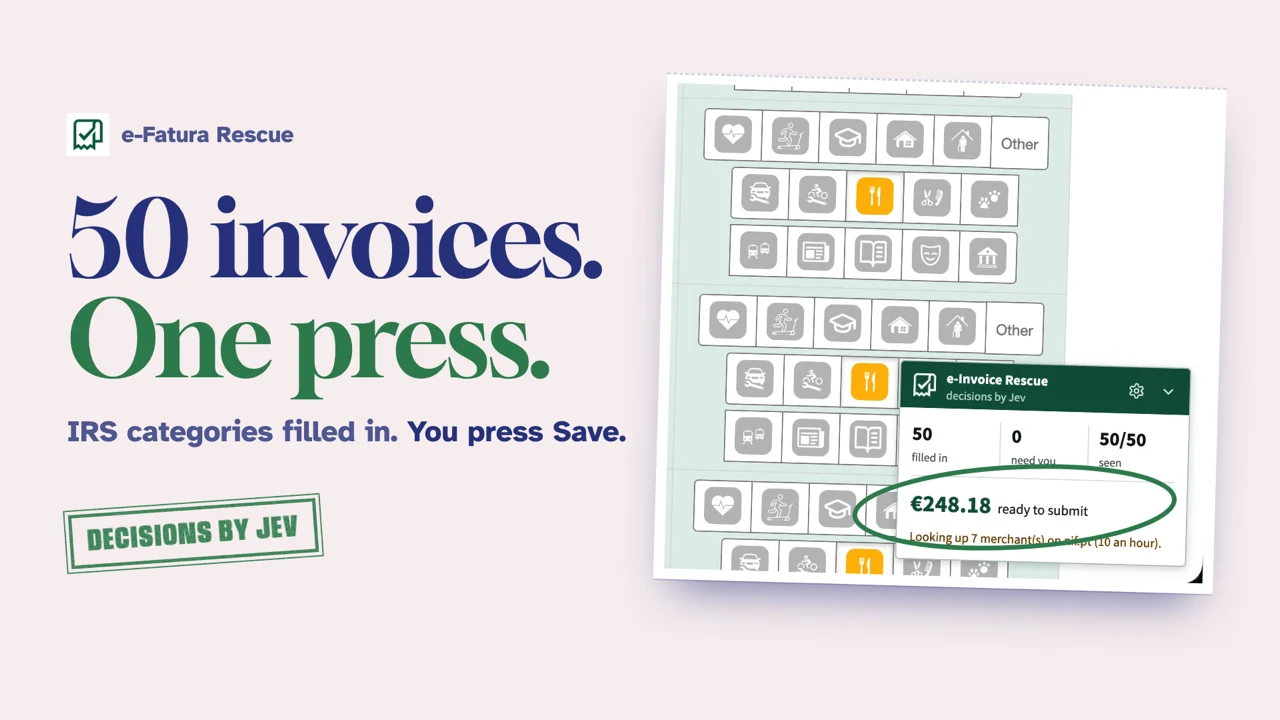
The demo: 50 pending invoices, sorted
- Sorting of the pending invoices started on the real portal.
- 50 of 50 filled in, none left for you.
- A merchant repeats and the portal asks about all its invoices. The answer is “Only this”.
- Each row shows Jev’s confidence and a Why? link.
- €248.18 ready to submit. Save stays your click.
Before your first pass
- 50 invoices at a time. The portal lists the 50 most recent pending invoices, so a bigger backlog takes a few passes.
- Amber rows ask you. When Jev isn’t sure, or the service doesn’t answer, the invoice isn’t stamped. The category is yours to pick.
- Only you press Submeter. The extension fills in categories. Saving is yours, after you check the total.
- Books, arts and museums count €0. Those categories are stamped, but their deduction rates aren’t confirmed, so the total leaves them out.
- Later pages aren’t proven. Whether Submeter saves picks on list pages you’re not viewing hasn’t been checked on the real portal.
Install from the Chrome Web Store
Free this IRS season. No keys, no accounts: open your pending invoices and press Sort.
Coming soon to the Chrome Web Store View the code on GitHub- Open your pending invoicesGo to “resolver pendências” on e-Fatura with page translation off.
- Press SortJev classifies each invoice. The ones it’s sure of get stamped.
- Check the amber rows, then press SubmeterPick a category for the amber rows, check the total and submit as you always have.